Mindchat
Write it down.We sort it out.
Notes you text to yourself
- No sign-in to start
- No ads
- iPhone · iPad · Android
Send it. Mindchat notices.
Send a note and Mindchat spots dates, to-dos and tags, then suggests them as chips under the bubble. Nothing is set until you tap. You can also send from the home screen widget or another app’s share menu.
Jot a time,get a reminder
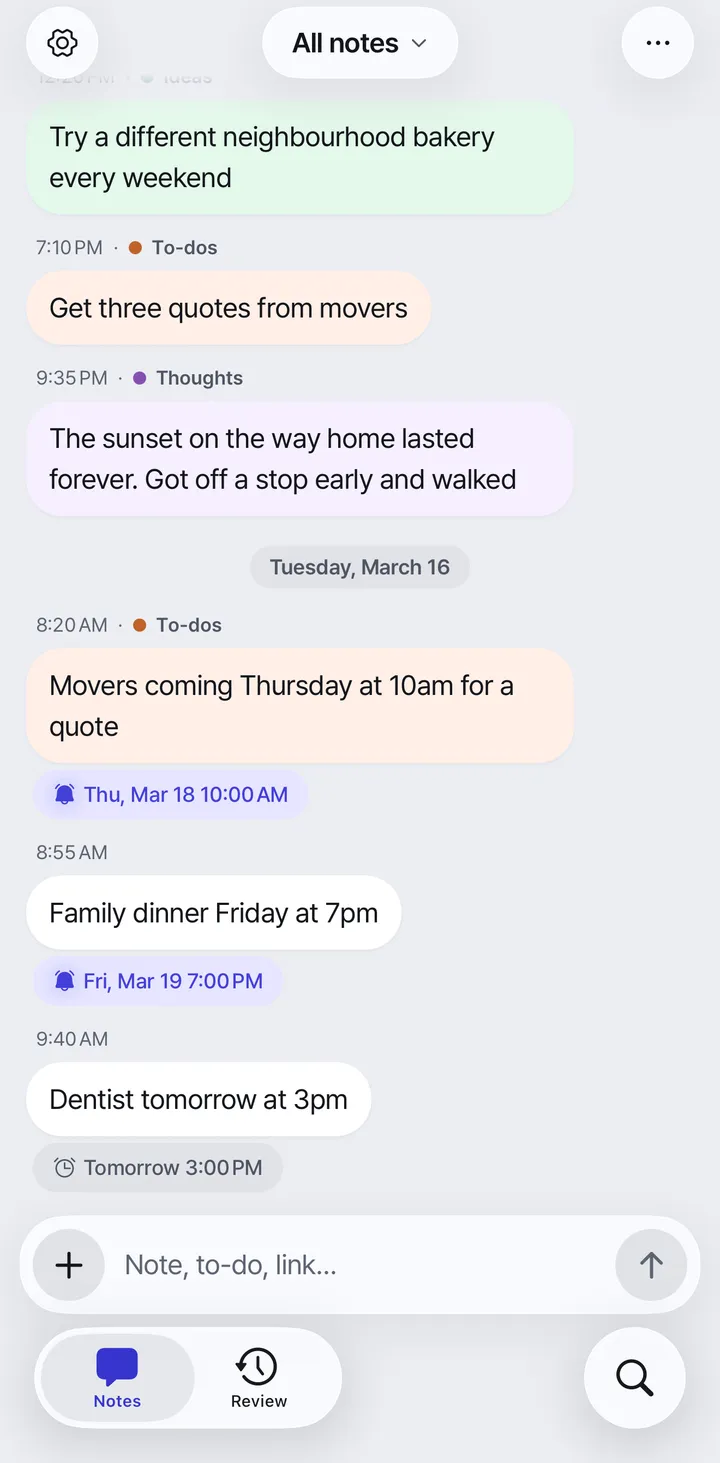
Write the way you talk, like “call mom next Monday”, and Mindchat spots the date and time and suggests a reminder chip under the note. Tap the chip to schedule the notification. Right from the chip, change the time or get the alert 5 minutes to 1 hour early. Spotting happens on your device, and nothing is scheduled until you tap.
- Spotted on your device
- Reminder widget
- Early alert
- ProRepeating reminders
Tasks here,thoughts there
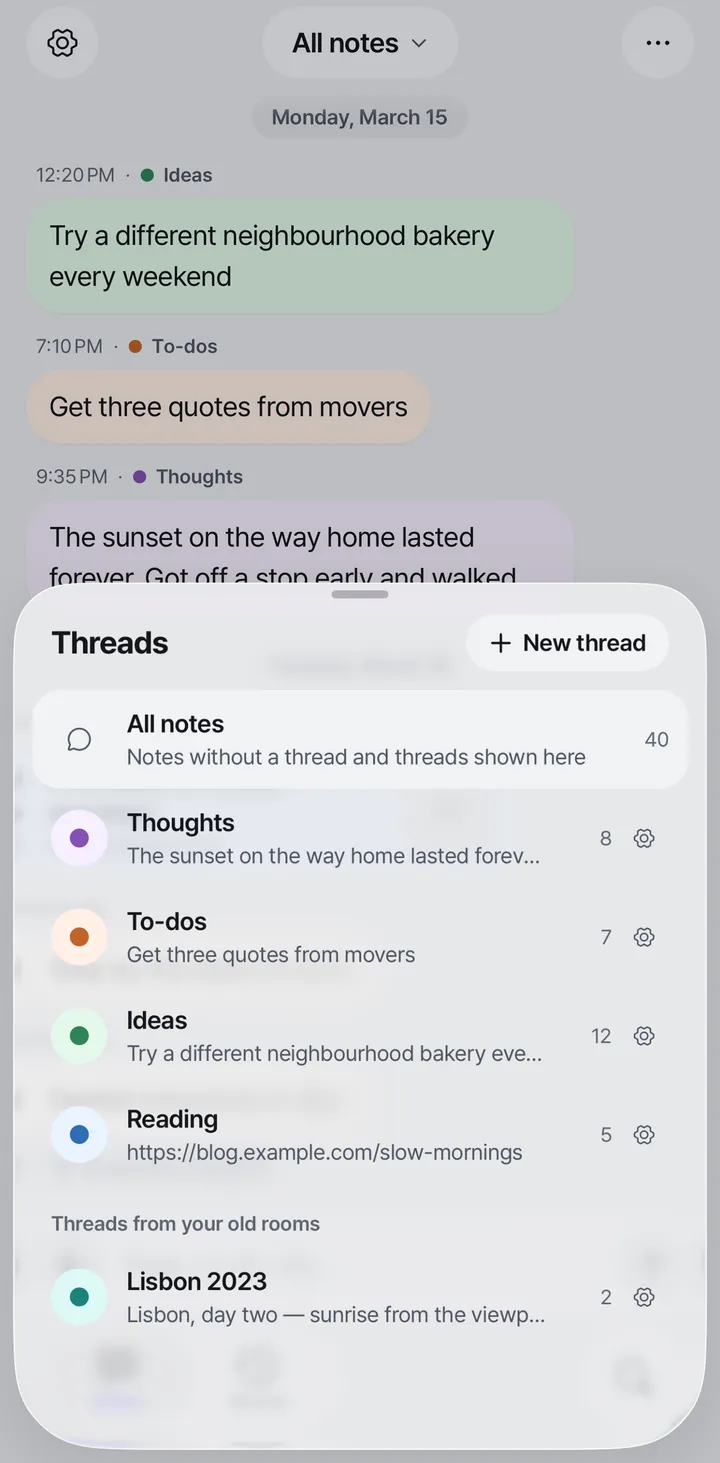
Notes that look like tasks get a “To-do?” chip, and tapping the bubble marks them done. Keep journal lines, to-dos and ideas in separate threads, and see everything together in All notes. Tags are added quietly, so notes on the same topic gather in one place.
- Threads
- Tap to check off
- Tags
No ads. Locked.Yours alone.
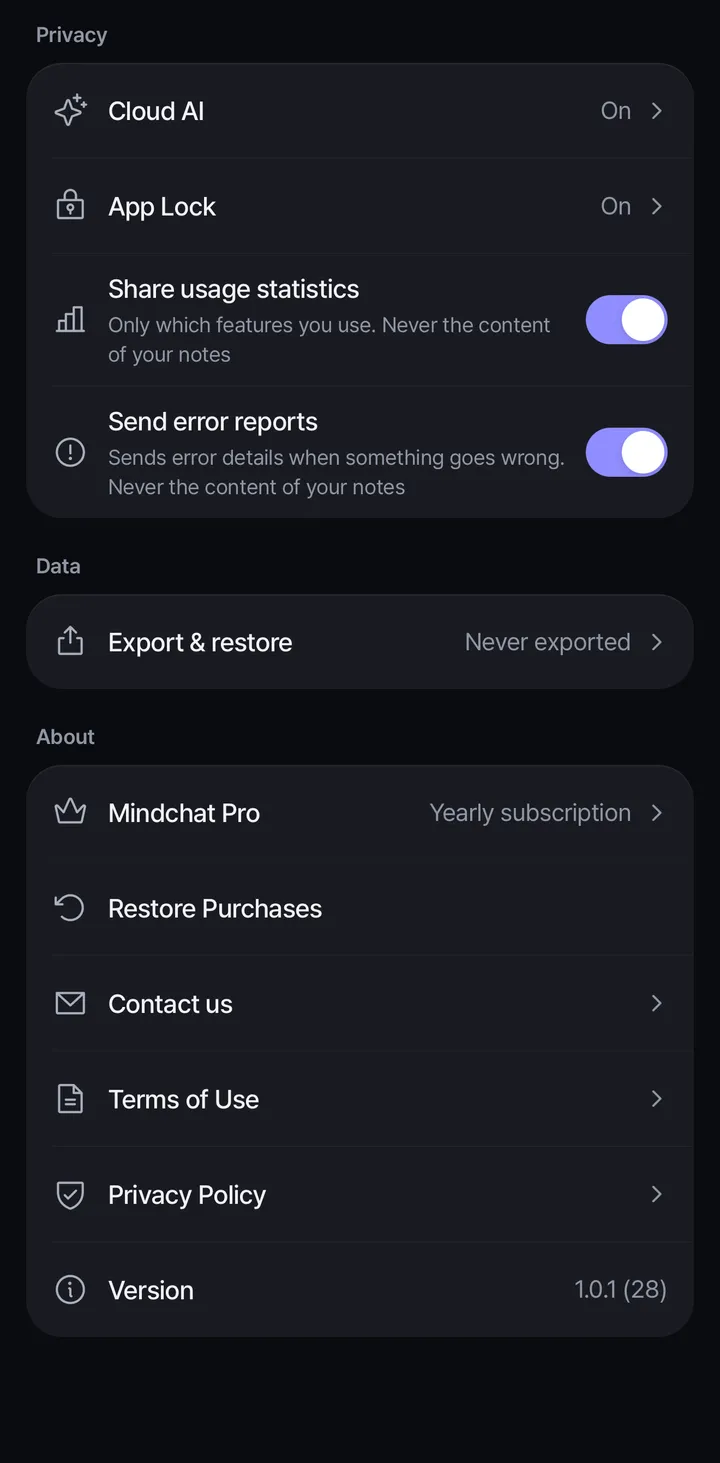
No ads, no advertising identifiers, and we don’t sell personal information. Spotting dates and picking notes for review happen on your device, without sending your notes. Turn on App Lock (a PIN, with face or fingerprint unlock) to hide note text in widgets and notifications too. Usage stats and error reports never include note content, and you can turn them off.
- No ads
- App Lock
Find any note,years later
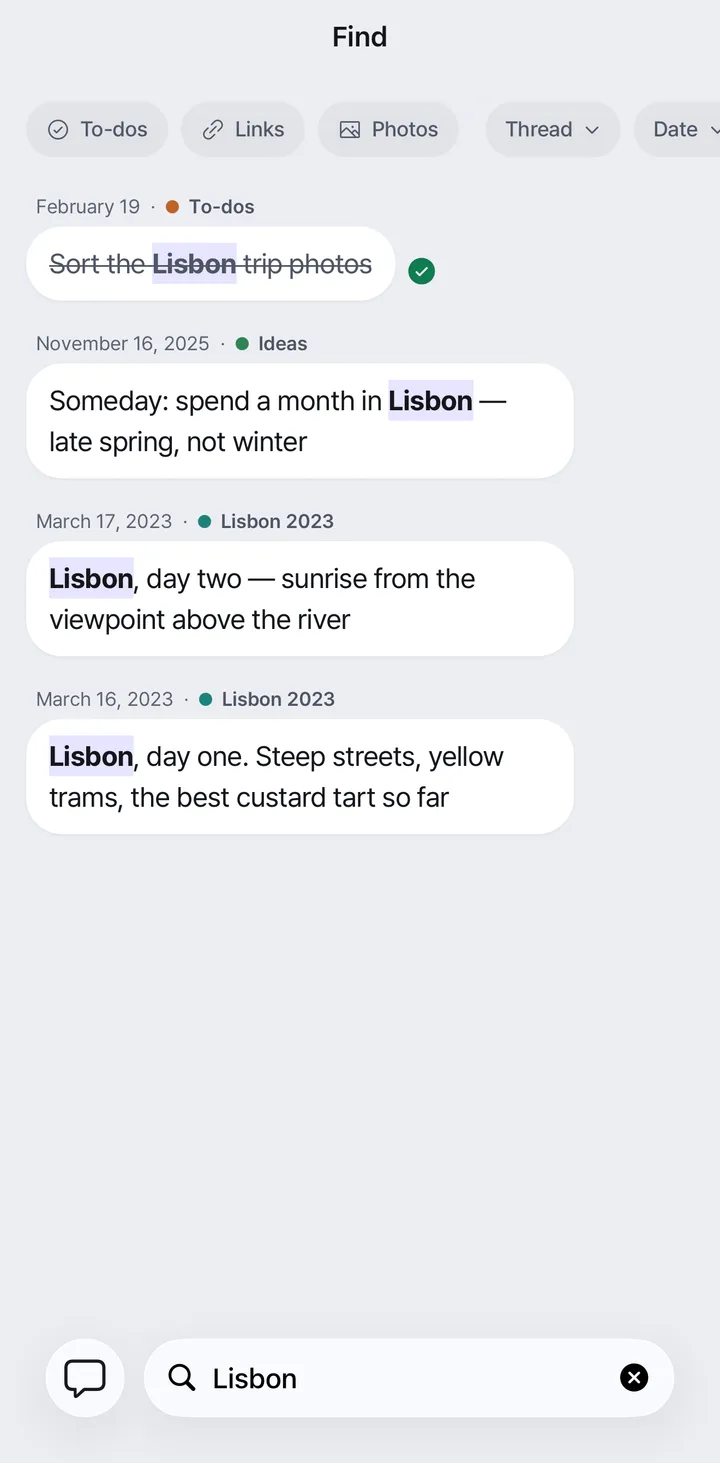
Search the full text of notes from years ago, and narrow it down by thread, date range or tag. Smart views gather just your to-dos, links or photos.
- Full-text search
- To-dos · links · photos
Forgotten notescome back
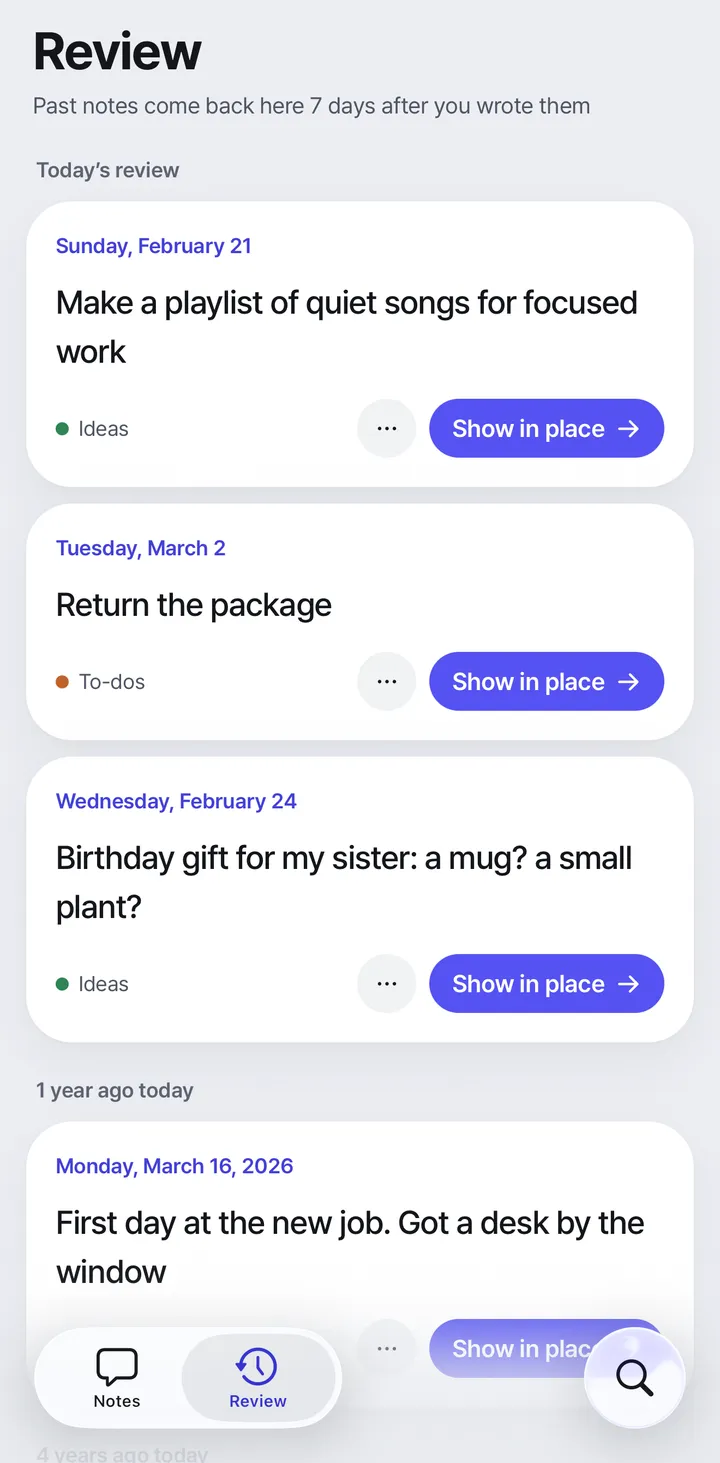
Daily review brings back 3 notes that are more than a week old. Keep notes, dates and words you’d rather not see out of review. Pro adds “On this day” and deep review across all your notes.
- Today’s review
- Leave out of review
- ProOn this day
- ProDeep review
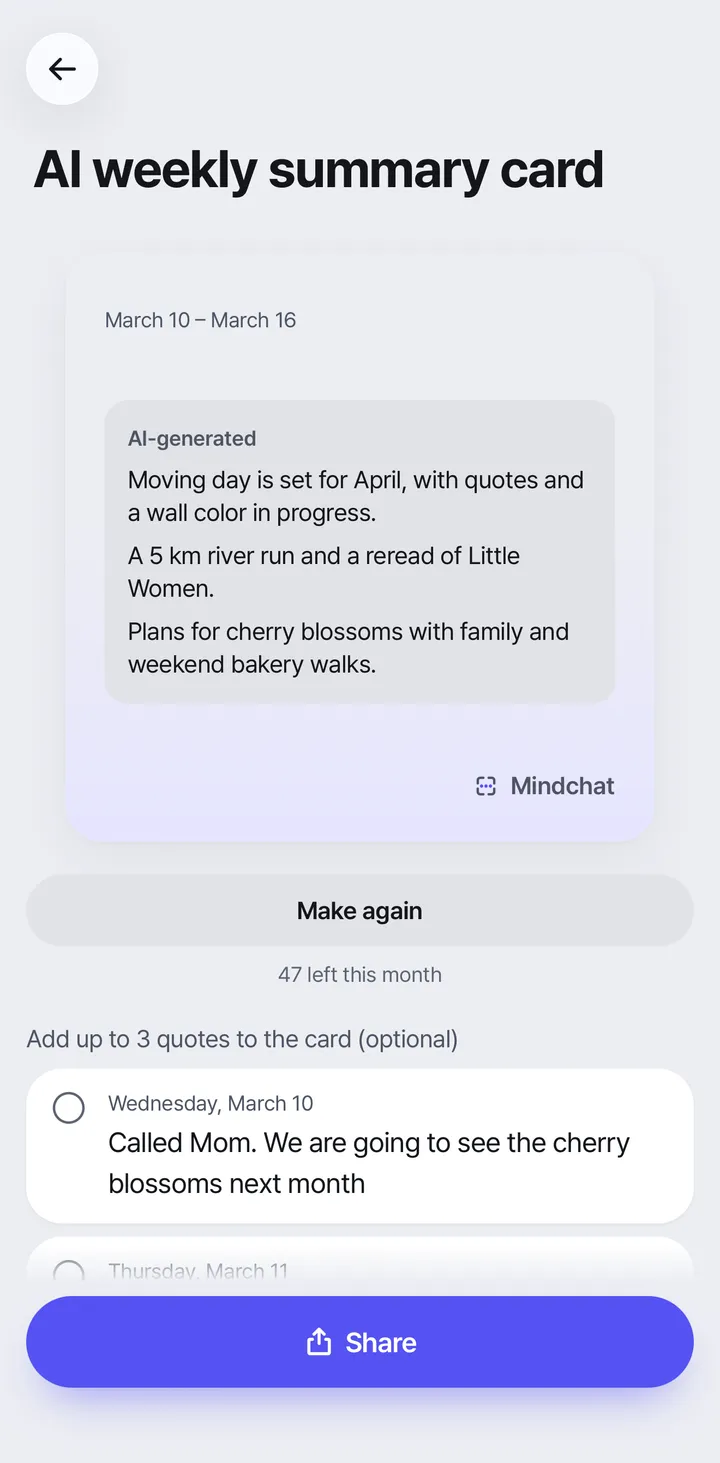
Your weekon one card
The AI summary in Pro sums up your past 7 days of notes in a few lines, on one card. It’s the only feature that sends note text to an AI provider: only after you agree on the consent screen and tap Make summary does the app send the text of your past 7 days of notes to Anthropic (Claude), or to Google Vertex AI if that fails, and the card is labeled “AI-generated”. It’s for ages 18 and up, and you can turn it off any time in Settings,
- Only with consent
- “AI-generated” label
- ProAI weekly summary card
- ProMonthly & year-end cards
Everything you write is free. Pro is a monthly or yearly subscription that adds deeper ways to look back; prices and the free trial are shown on the purchase screen in the app and in the store. If your subscription ends, your notes and the cards you made stay as they are.
Notes you won’t lose
No sign-in to start
Start writing on the first screen. Notes are saved on this device first.
Free backup & sync
Connect an account for free backup, and pick up on your other devices.
Export
Export to Markdown and JSON, and restore from an exported folder.
Used Mindchat before?
The new Mindchat is an update to the same app. Your old rooms and messages come with you.
- 01
Update the app
Update Mindchat from the App Store or Google Play. If you deleted it, download it again from the same store page.
- 02
Sign in with your old account
If you were still signed in when you updated, the import starts on its own the first time you open the app. If you were signed out, sign in with the account you used before in Settings,
Account & Backup. - 03
Rooms become threads
Each old room becomes a thread, and its messages become notes. Photos follow afterwards, and a card at the top of your stream shows the progress.
- If something looks missing, Settings,
Export & restore, Import again fills in only what’s missing. Notes you already have are not changed. - The original data from the old app is kept until 12 months after the new app’s release, then deleted. We’ll tell you in the app and by email before that happens.
If the import stops or the note count looks wrong, see Support or email us.
Write it down.We sort it out.
On iPhone, iPad and Android. Start writing without signing in.